Why typing to-do lists fails busy families
Every to-do list app on the App Store assumes one user, sitting at a desk, adding their own tasks. That works fine if you're a solo knowledge worker.
It doesn't work in a family. In a family, most of what ends up on your plate didn't come from your head — it came from your partner walking past the kitchen, your kid mentioning a permission slip, your mom calling about Sunday. By the time you sit down at a screen to type any of it out, you've already forgotten half of it.
This is why the average family has three half-abandoned shared to-do apps and one giant group text where things still slip through.
What voice does that typing can't
Voice capture is roughly three times faster than typing and works hands-free — while you're stirring a pan, holding a kid, or walking out the door. The moment something is said is the moment it should be captured. Anything that requires "remembering to type it later" loses.
But fast voice notes alone aren't enough. A 30-second recording of you saying five things is still a 30-second recording you have to listen back to.
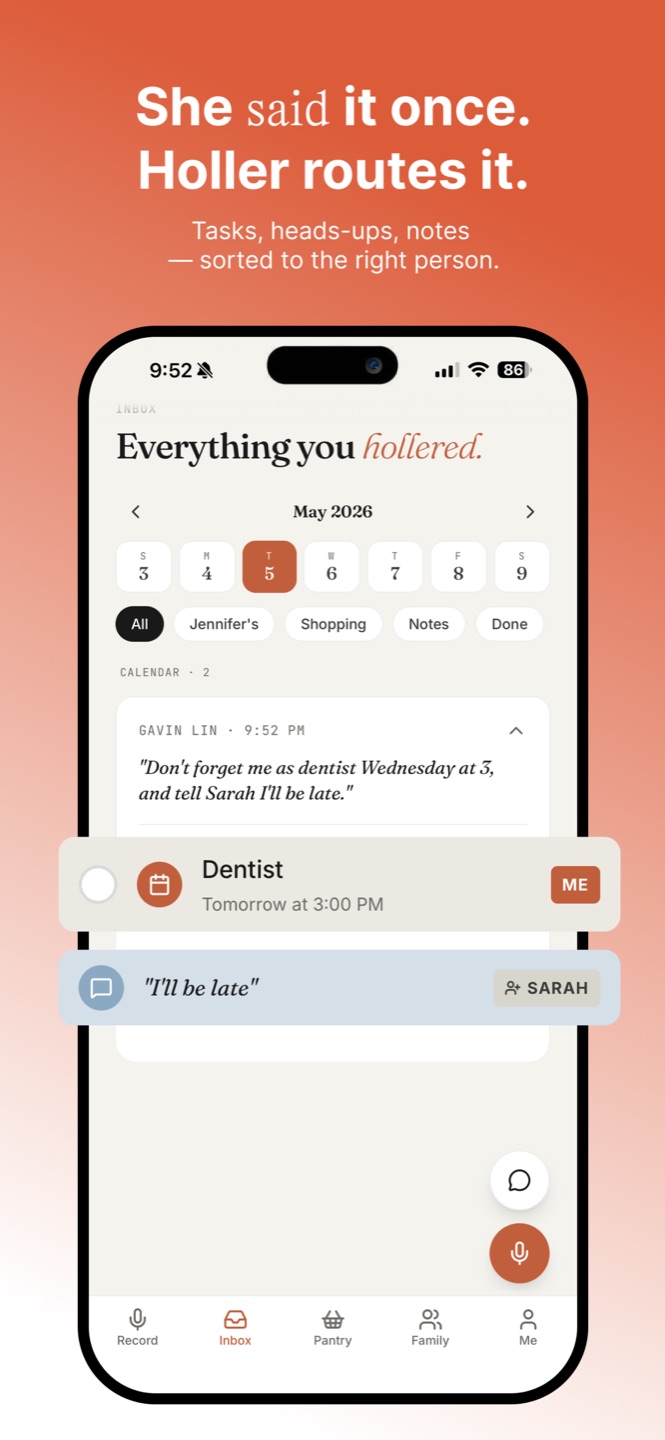
Holler does the extra step: it splits what you said into separate tasks, events and shopping items, and figures out which family member each belongs to. You don't tag. You don't sort. You don't open menus.
Three real moments this is built for
"Pick up Mia from soccer at 5, ask Sarah about Wednesday, and we're out of yogurt." One tap, six seconds. Three items split into your day, Sarah's heads-up, and the family shopping list.
You remember the dentist confirmation. Hands full. Tap, say it, done. By the time you reach the car it's on the calendar with the right time.
"Permission slip due Friday for the museum trip, $15 cash." Voice-added in four seconds. Friday morning your phone reminds you, and the kid's card on the Family tab shows it pending.
How it works in 60 seconds
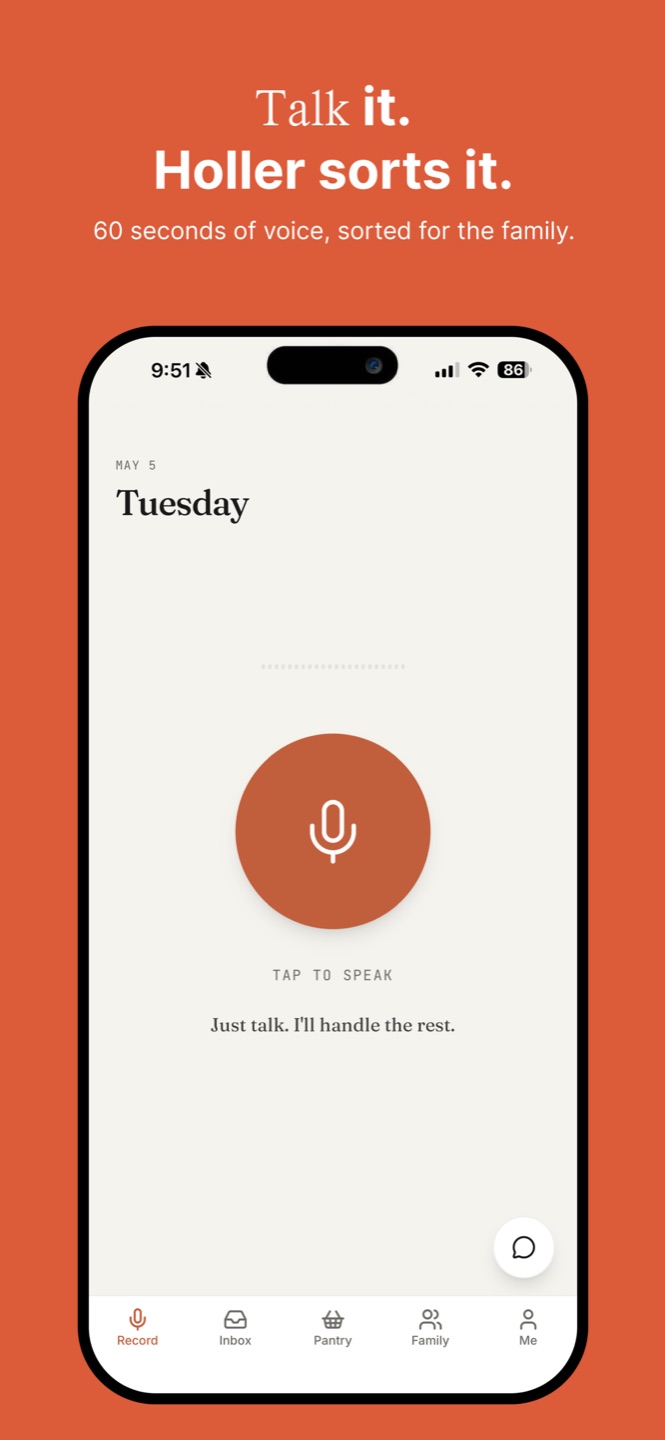
You tap the mic. You talk for up to 60 seconds — like you would actually say it to your partner. Holler transcribes the audio, then runs the transcript through an AI step that splits it into separate items with a guess at who each is for.
You see the result, tweak if needed, and it's saved to your household. Anyone in your family who's using Holler sees their own items show up on their phone in real time.
The honest version. Holler isn't magic. It will occasionally route something to the wrong person, or interpret "tomorrow" funny. The whole UI is built so corrections are one tap. It gets noticeably better over a week of use as it learns your family's voice and rhythms.
Frequently asked questions
How long can I talk for?
Up to 60 seconds in a single holler. Most families end up using 10–20 seconds — enough for "pick up milk, tell Sarah about Tuesday, dentist Wednesday at 3."
Does this work without internet?
Recording works offline. Transcription needs a quick round-trip to our servers — usually 2–4 seconds on cellular or wifi. If you're in airplane mode, the recording is held locally and processed when you're back online.
Is my voice stored?
No. We transcribe in real time and discard the audio immediately. Only the text — the transcript and the structured items — is saved. There is no playback because there is nothing to play back.
What if I have an accent or speak ESL?
Holler uses Whisper, the same speech-to-text engine behind many professional apps. It has been very accurate across regional American accents, British, Indian, and most ESL speakers in our testing. Mandarin and Spanish are also supported.