Built for families
Holler once. It's handled.
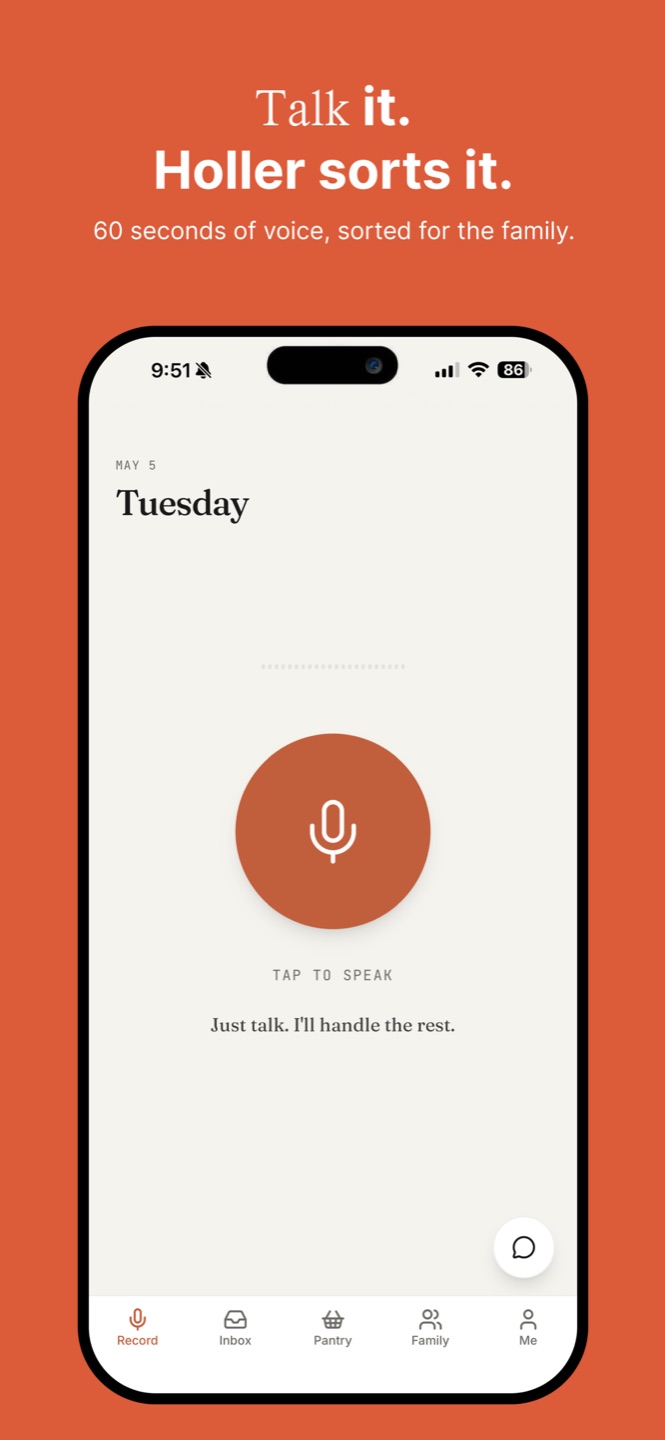
Tap and talk — up to 60 seconds, in plain English. Holler turns what you said into the right task, for the right person, on the right day.
Tap and talk — up to 60 seconds, in plain English. Holler turns what you said into the right task, for the right person, on the right day.
You don't type. You don't tag. You don't pick who it's for. Holler does that.
Open Holler, tap the mic, and talk for up to 60 seconds — the way you'd say it to your partner walking past the kitchen.
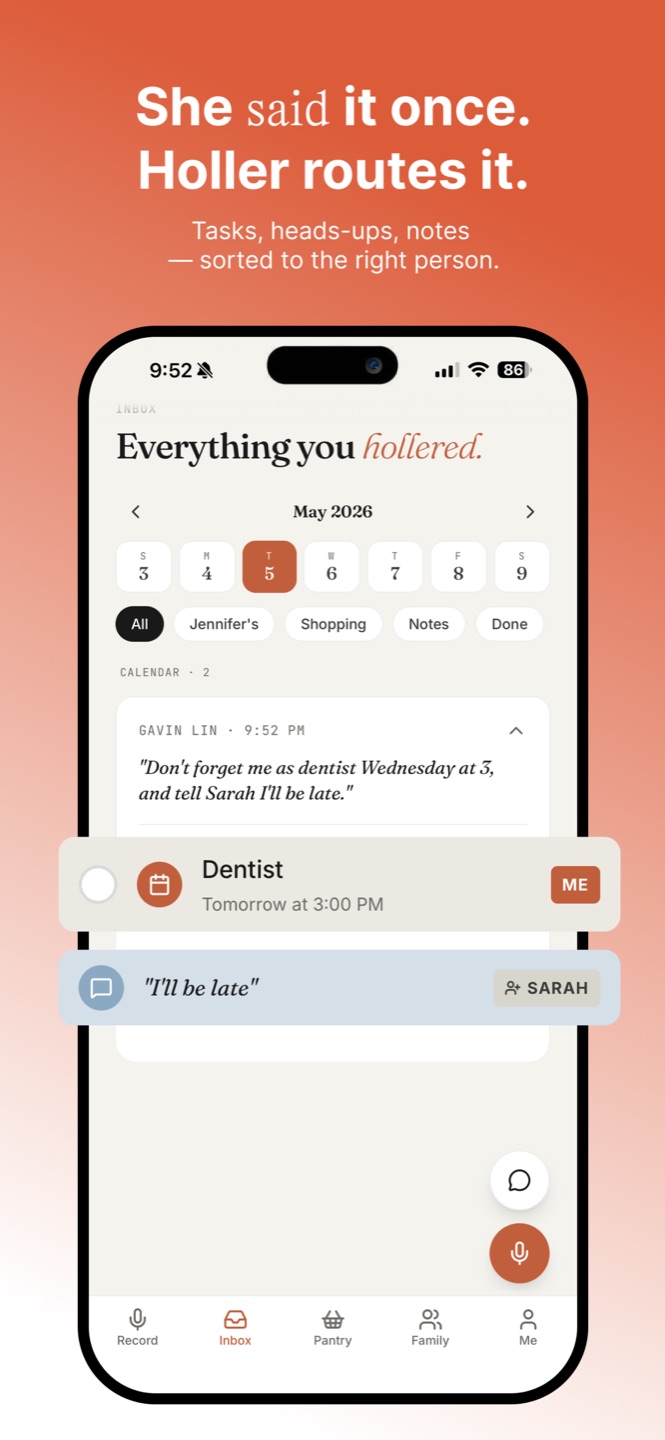
Holler hears the dentist appointment, the pickup for your partner, the diapers you're out of — and splits them into events, todos, and shopping.
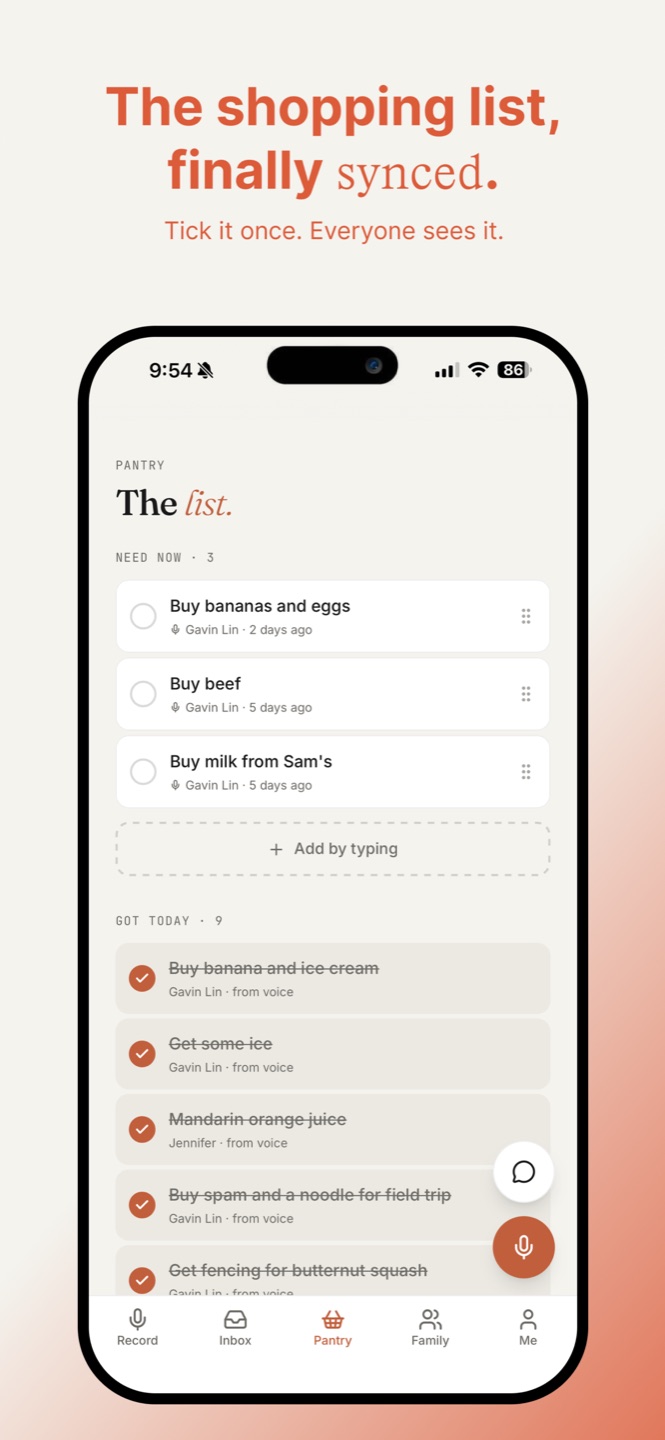
Each item lands on the right person's day. Shared shopping list updates itself. Nobody has to write anything down.
Not a to-do list with voice bolted on. A voice inbox designed for a household, not one person.
Say "pick up Mia at five, and we're out of diapers" — Holler splits it into a pickup for you and a shopping item for the household. No tagging, no menus.
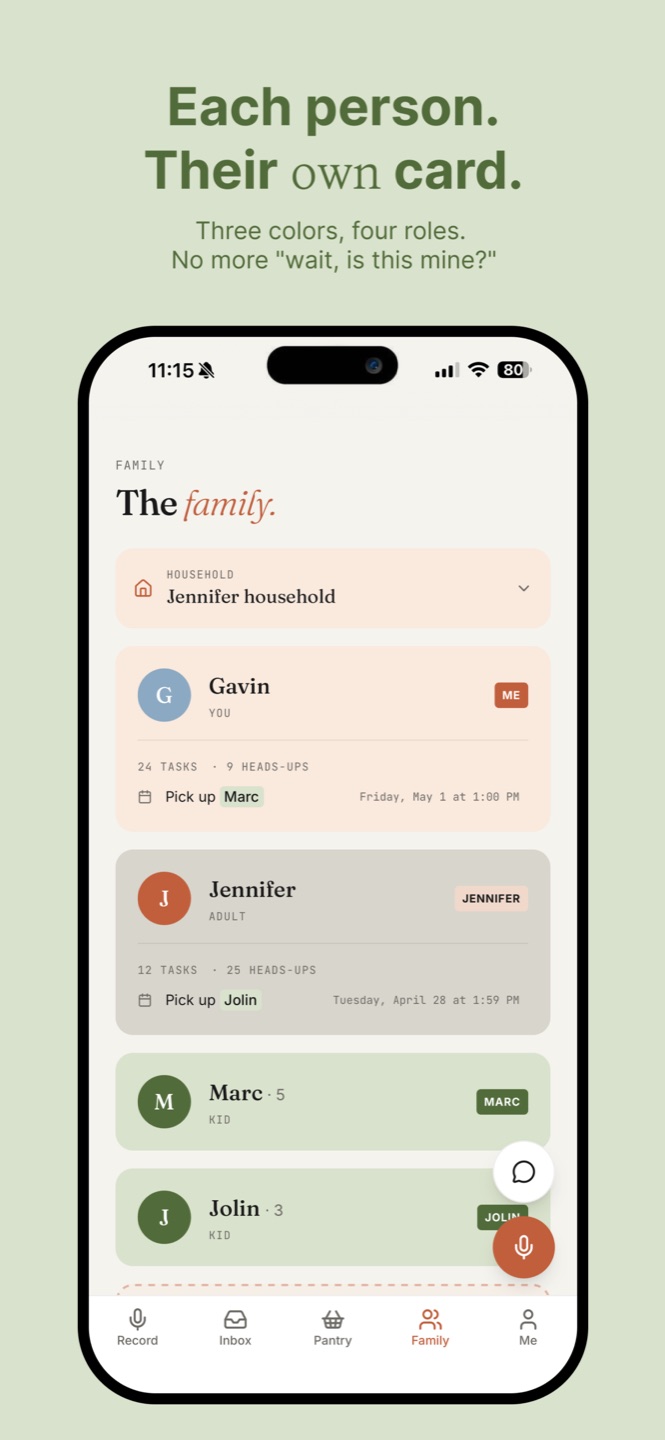
Adults, kids, and the family members who'll never download an app. Add them anyway — holler on their behalf, and invite them when you're ready.
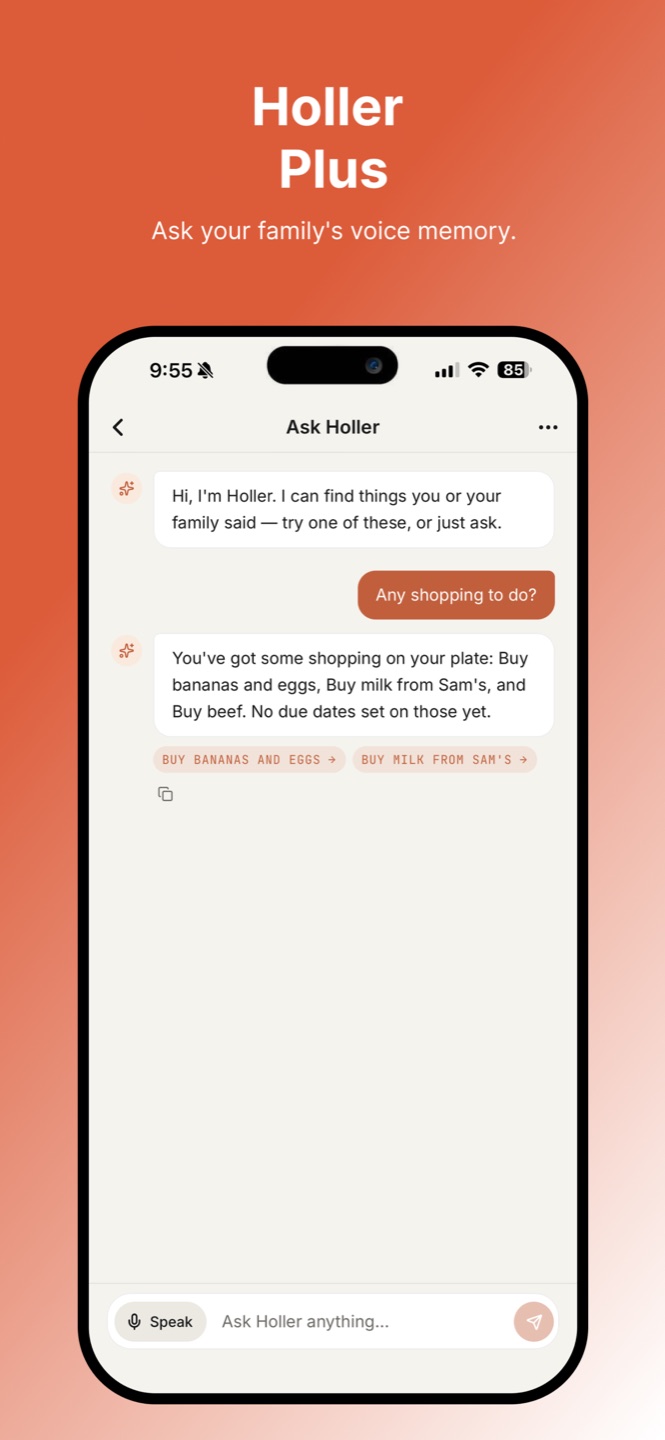
"What did Sarah say about Tuesday?" "Any shopping left?" Chat with your family's voice memory — every transcript searchable, every heads-up findable. Plus only.
Your voice is transcribed, then discarded. Only the text stays. No audio sits on a server. No notifications you didn't ask for.
"Hey, don't forget Mia's dentist Wednesday, and can you ask your mom about Sunday — and we're out of diapers."
No. We transcribe your audio in the moment, and discard the recording immediately. Only the text — the transcript and the structured items it became — is saved to your household. There's no playback because there's nothing to play back.
Eventually — yes, for them to receive heads-ups and see what's on their day. But you can set up your household and add family members as "ghosts" first, holler on their behalf, and invite them when you're ready.
Yes — your Apple Calendar events show up alongside everything else in your family inbox, on the same day. You keep editing events in Calendar; Holler just pulls them in so you see your whole day in one place. (Plus feature.)
Not yet. iOS first, while we learn what families actually use. Android is on the list once we're confident the core experience is right.
Holler is free with a 7-day inbox. Plus ($4.99/month or $39.99/year, with a 7-day free trial) unlocks unlimited history, multiple households, Ask Holler chat, and Apple Calendar in your inbox.
Because most things on your plate didn't come from your head. They came from someone else's mouth. Typing them into a list app is the slow part — the moment you actually heard them is when the action should start.
Available now on the App Store. Free to download. Set up your household in under two minutes.