Apple's native family calendar sharing is fine. But.
iCloud Family Sharing gives you a single shared "Family" calendar that everyone in your group can read and write to. It works. It has worked for over a decade.
What it doesn't do: show everything that's already on each person's plate in one view. Your partner's work meetings live in their personal calendar. The kids' school events are on a subscribed calendar nobody opens. Your dentist appointment is on your personal one. The shared "Family" calendar ends up nearly empty because nobody wants to manually duplicate every event into it.
So the question of "what does Wednesday look like for our family?" still requires opening three apps and asking your spouse.
How Holler brings your Apple Calendar into the household
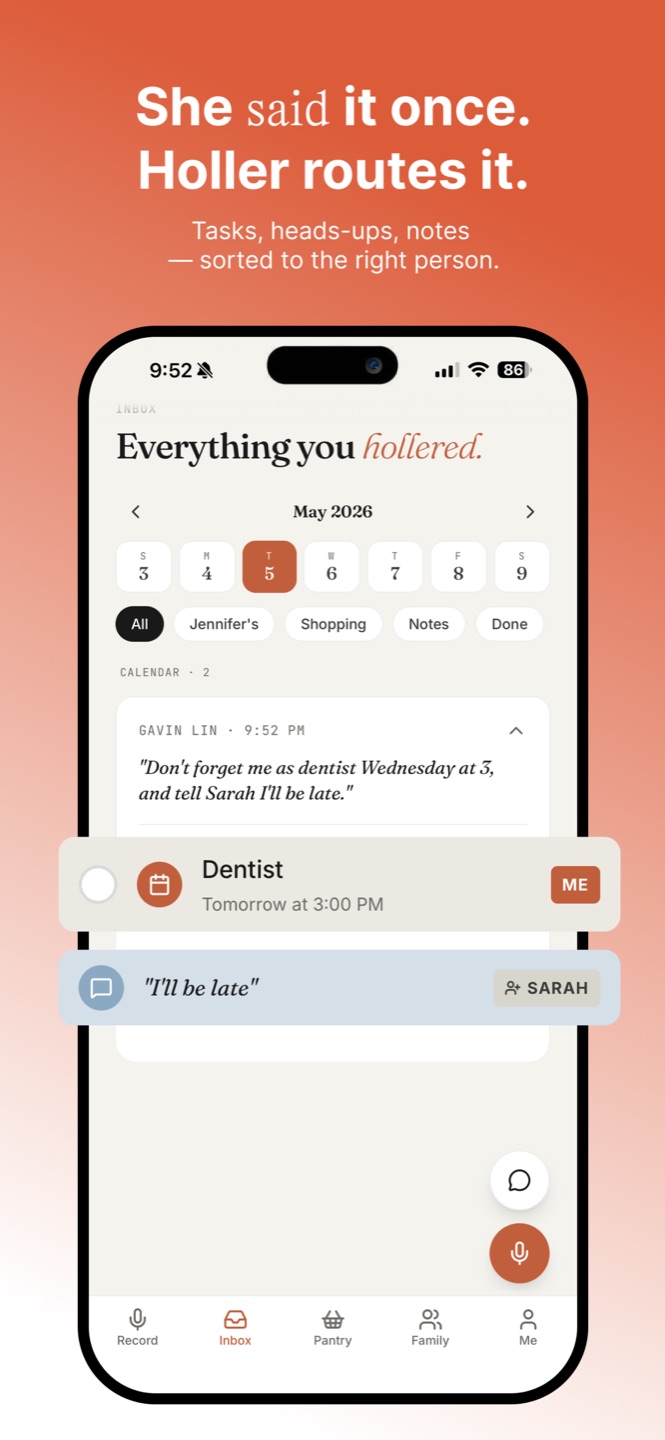
Turn on Apple Calendar sync in Holler (Plus feature) and we read events from every calendar your iPhone already shows you — work, personal, the school's subscribed feed, the shared family calendar — and surface them in your household inbox alongside voice-captured tasks and heads-ups.
You don't change anything about how you use Apple Calendar. Add a dentist appointment in Calendar the way you always do. Within seconds it shows up on the right day in Holler.
What syncs, what doesn't
What syncs: event title, time, location, all-day flag, recurring status, calendar source. From 7 days ago through 30 days from today — the range busy families actually live in.
What doesn't: event notes, attendee lists, attachments. We deliberately don't import that stuff — it's verbose, often private, and doesn't help with the "what's the family doing this week" question.
Direction: one-way only at this point. Holler reads Apple Calendar; it doesn't write back. If you delete an event in Calendar, it goes away in Holler. If you add something in Holler, it stays in Holler. Two-way sync is on the roadmap.
Three moments where this matters
You open Holler, see Wednesday at a glance: dentist 9am (from your personal Calendar), kindergarten field trip (school's subscribed feed), partner's late meeting (their personal Calendar shared with you). No app-hopping. Plan accordingly.
The school appointment moves from 3pm to 4pm. You update it in Apple Calendar. Holler reflects it within seconds. Your spouse, in their own Holler, sees the change too.
Family member asks about coming over Saturday. You open Holler, see Saturday at a glance — kid's soccer 10am, no other events, voice-captured "buy fence stain" still pending. Easy yes.
Permissions: when you turn on calendar sync, iOS asks you for read-only access to your calendars. We don't request write permission, and we don't see anything you haven't already chosen to keep in Apple Calendar.
Frequently asked questions
Does Holler write events back to Apple Calendar?
Not today. The sync is one-way — Holler reads your Apple Calendar and shows the events in your household inbox. You keep editing events in the Calendar app the way you always have. Two-way sync is on the roadmap.
Which calendars are imported?
All the calendars that show up in your iPhone's Calendar app — work, personal, shared family, subscribed school calendars. You can toggle which ones Holler pulls in from the Me tab.
How fresh is the sync?
Holler refreshes calendar events every time you open the app, and on push notifications. The sync window is 7 days back and 30 days forward — the range busy families actually live in.
Is this a Plus feature?
Yes — Apple Calendar import is part of Holler Plus, alongside multi-household, Ask Holler chat, and unlimited inbox history. There's a 7-day free trial inside the app.